Online Poker Sites Reviewed by Experts

Honest in-depth features on the best that real money poker sites have to offer will always be the centerpiece of Beat The Fish.
I’ve gotten a bunch of e-mails over the past 14 years from real poker players who tell me they appreciate them. I can’t tell you how gratifying that is.
As I think you’ll agree, honesty about even the best poker sites is tough to find. I’m going to give you a real idea of what to expect before you play.
Table of Contents
- Online Poker Sites I’ve Reviewed in 2024
- I personally review all of them
- How I rate the best online poker sites
- Spotting Red Flags at Online Poker Sites
- The Ugliness of Most Poker Reviews
- How I Look at Real Money Poker
- My Way to Judge the Best
- Real Poker Player Feedback I've Gotten
- Resisting the Money Bias in Online Poker
- My Philosophy and Experience
Online Poker Sites I’ve Reviewed in 2024

Bovada Poker
Bovada Poker has been one of my favorite poker sites since I started playing there for real money in 2004. They're the largest in USA poker player traffic by far and have one of the loosest player bases in the world for any poker site. They've also have close to 20 years experience in the online poker industry.
I love how Bovada embraces the use of anonymous tables, which renders poker site HUDs useless and encourages recreational players. Bovada is also the best online poker site in the US to offer fast-fold poker because there are plenty of players at all stakes.
- Real money mobile app
- Bitcoin payouts in as little as 1 hour
- Excellent poker reputation earned by lack of scandals or payout delays
- Fast-fold Zone Poker allows you to play 300+ hands per hour per table
Quick hits from my Bovada Poker review
Payout Speed | Fish Rating | Mobile Poker |
|---|---|---|
9.1
Rating
My highest overall rating.
100%
Bonus
Valid for up to $500 extra.
#1
Traffic
The most poker player traffic in the USA market.
2004
Open Since
One of the oldest online poker sites still in operation.
Yes
USA Players
Americans are accepted for real money play.

Ignition Poker
Ignition Poker is a newer name in the online poker market, launched in 2016 when they allegedly bought the poker division from Bovada. Don't be fooled. They're likely operated by the same company in charge of online gambling veteran Bovada, which is good news for poker players.
Ignition Poker has also made significant increases to their online poker promotions and bonuses, now offering a 150% bonus for players using Bitcoin to make a deposit. They also have some of the busiest poker tournaments, often attracting thousands of players per event to not only Texas Hold'em games, but also Omaha and PLO.
- On the busiest online poker network in the USA market
- Real money payouts in as little as 6 hours with Bitcoin
- One of the only mobile real money clients in the US
- Cash games have some of the most action online
Quick hits from my Ignition Poker review
Payout Speed | Fish Rating | Mobile Poker |
|---|---|---|
8.1
Rating
#3 in my poker site rankings.
150%
Bonus
If depositing with a cryptocurrency.
#1
Traffic
On the most-trafficked network in the USA market.
2016
Open Since
Opened by Bovada to take over its poker operation.
Yes
USA Players
Ignition has accepted US players since they opened.

ACR Poker
ACR Poker has had an interesting journey as a rehabilitation online poker home for bankrupt gaming sites. ACR has never been riding higher as one of the more popular real money poker options for US players and it isn’t difficult to see why.
Their tournaments are mostly unmatched in their online poker market, amazingly hosting occasional $1,000,000 guarantees. ACR Poker is on the second-largest real money American network and is offering a unique $50 free instant tournament bonus with the right ACR bonus code.
- Now one of the oldest online poker sites left
- 20 free Jackpot Sit and Go’s with real money deposit
- Some of the largest tournaments in the US
- Very fast Bitcoin payouts within 12 hours
Quick hits from my ACR Poker review
Payout Speed | Fish Rating | Mobile Poker |
|---|---|---|
8.0
Rating
Well-rated aside from allowing HUDs.
200%
Bonus
Double bonus for Bitcoin deposits.
#2
Traffic
Second-highest player traffic in the US market.
2001
Open Since
I've played on this network since 2005.
Yes
USA Players
With a name like that, they better accept them.

BetOnline Poker
BetOnline has settled into a nice niche as one of the best online poker sites, offering quick payouts, new software, a very good mobile app, and decent cash game traffic. Although the players aren't quite as bad as they used to be, I've played poker at BetOnline for years and have consistently rated them highly.
Although you have to request them manually, BetOnline has some of the largest poker bonuses, valid up to $1,000 if you're willing to play to cash it all out. They're also now one of the best poker sites on mobile, easily showing hands from multiple tables.
- Processes nearly 100% of US credit cards
- Supports Bitcoin and several cryptocurrencies
- Active poker tables up to the $5/10 NL level
- New excellent mobile poker software for iOS and Android
Quick hits from my BetOnline Poker review
Payout Speed | Fish Rating | Mobile Poker |
|---|---|---|
8.4
Rating
#3 in my poker site rankings.
100%
Bonus
Valid for up to $1,000 extra.
#5
Traffic
Currently fifth in cash game traffic in the US.
2011
Open Since
I've played at this poker site since its launch.
Yes
USA Players
BetOnline allows players from all 50 states.

Sportsbetting Poker
SportsBetting Poker wouldn't score highly if originality mattered, as it's a carbon copy of BetOnline on the same online poker network. Sportsbetting is still one of the best poker sites overall and is worth mentioning in such a barren real money market.
The same excellent credit card processors processors apply, with money deposits almost never declined and no extra fees added. Other main positives include a high volume of cash tables and one bigger real money bonuses online.
Online poker players are allowed to have a real money account both here and at BetOnline with the benefit being that you’re able to earn any deposit bonus or promotion twice.
- Same poker site network, same benefits as BetOnline
- Lowest credit card decline rate in US
- Bitcoin, Ethereum, and other cryptocurrencies
- New real money mobile poker software
Quick hits from my Sportsbetting Poker review
Payout Speed | Fish Rating | Mobile Poker |
|---|---|---|
7.5
Rating
Strong ratings aside from HUD blocking.
100%
Bonus
Valid for up to $1,000 extra.
#4
Traffic
Fourth in real money game traffic in the US.
2012
Open Since
I've reviewed this poker site since its launch.
Yes
USA Players
Sportsbetting draws most of its players from the USA.

Black Chip Poker
Black Chip Poker is follows the quintessential “skin” online poker site formula: share tables and tournaments with the flagship brand in America’s Cardroom and reap the benefits. My poker site review shows their bonus at 100% with a large cap at $1,000 if using a bonus code. High-stakes players will see a lot with micro-stakes players seeing very little.
The Black Chip Poker software platform is the major weakness. It works great on Windows, but the lack of Mac or a mobile poker site is a big fail. This poker site has solid traffic, which is higher than many of my other reviewed poker sites, and an excellent tournament schedule.
- Part of the largest US online poker network
- The largest real money tournaments in the market
- Some unique features like Jackpot Poker
Quick hits from my Black Chip Poker review
Payout Speed | Fish Rating | Mobile Poker |
|---|---|---|
7.4
Rating
High ratings aside from lack of mobile.
100%
Bonus
Up to $1,000 extra and 4 private freerolls.
#2
Traffic
Currently second in cash game traffic in the US.
2012
Open Since
Launched by the poker site network owners.
Yes
USA Players
They specifically market to American players.

Nitrobetting Poker
Nitrobetting Poker is less of an online poker site and more of an all-around Bitcoin betting solution. Nitrobetting only offers deposits, withdrawals, and bets in Bitcoin.
Nitrobetting does have a real money poker section with some fairly loose tables and daily freerolls. You also can't beat the ability to make an anonymous real money poker account without any personal information.
- Every poker table and tournament works well on mobile
- Real money poker with all buy-ins in Bitcoin
- Anonymous accounts with no ID ever needed
- Bitcoin payouts within 4-6 hours
Quick hits from my Nitrobetting Poker review
Payout Speed | Fish Rating | Mobile Poker |
|---|---|---|
7.3
Rating
Traffic and bonus are the lowest scores.
None
Bonus
Rewards and free bets is the only bonus.
Low
Traffic
Only around 10 real money tables are usually filled
2012
Open Since
Successful for sports bets and added poker later
Yes
USA Players
Games are in Bitcoin so no need to block players
✅ Are there any poker sites for real money?
Yes, many. There have been online poker sites offering real-money play since the late 1990's, with many coming and going since then. I currently trust around a dozen poker sites for real-money play based on their history, payout consistency, and my personal review of each one.
✅ What is the best online poker site?
What is considered to be the best online poker site will vary depending on what's most important to each player. I think that having profitable games, easy deposits, high traffic, and quick consistent payouts are the most important factors when grading an online poker site. I currently recommend Global Poker or Bovada Poker for American players and 888 Poker for those in the rest of the world.
✅ Is it legal to play poker online?
The answer is complicated, especially to poker players living in the United States. The simple answer is that almost all online gaming laws focus on the providers rather than the players. There have been virtually no cases of online poker players being prosecuted simply for playing. However, it's still always wise to check online gaming laws in your state, territory, or country prior to playing for real money.
✅ What is the poker online poker site for beginners?
When you're just learning to play poker, I think the best online poker site is one that's going to be simple and straightforward. As a beginner, your first goal should be to simply understand the game rules and get used to how the software works. You don't want to be distracted by software when you're making a decision that could cost you money. Every online poker site has a play money mode, which I think is best used to get a feel for that site's software. I currently recommend a poker site like Global Poker for beginners because there's nothing to download and there aren't many complex software features to overwhelm you.
I personally review all of them
 My name is Josh and I launched Beat The Fish in 2005. I’ve been reviewing top online poker sites for more than a decade. I’ve reviewed more than 60 poker sites over that time.
Every poker review you find here has been personally written by me only after I’ve played at each poker site for a number of hours.
I feel like I have a pretty strong grasp on what’s important to online poker players because I’m still one myself.
How I rate the best online poker sites
My poker review recipe follows a general format that I feel gives you the most informative cross-section possible.
Like filo dough made out of countless layers of poker site hyperbole, I want to peel back every aspect of a prospective real money poker room to cover what may be most important to you personally.
If I cover what may seem like too much detail on every online poker room, I have a better chance to review something specific that's important to every player. Even players in countries and jurisdictions that have limited poker options, you still a variety of choices in where you take your bankroll.
Here's what I include in every single poker review. The best online poker sites earn consistently high scores in most, if not every, category.

Aces and Deuces
This is at the top of each review page and gives a couple handfuls of quick pros and cons for each real-money poker site.
It serves as a quick reference for what I feel are the standout features, both good and bad.

Bonuses and Promotions
This is at the top of each review page and gives a couple handfuls of quick pros and cons for each real-money poker site.
Aside from the raw poker bonus amount, I also analyze a poker room's other promotions, including rewards programs and specialty tournaments.

Fish Rating
If I actually had a phrase I wanted to trademark for Beat The Fish, "Fish Rating" would probably be it.
The Fish Rating has been one of the staples of my online poker site reviews since the beginning, which scored the “easiness” of a poker site.
Every poker player will have their own priorities, but this should be one of your main factors in deciding on the best new online poker home.
The higher the Fish Rating, the higher the number of poor poker players that populate the tables and give you more action.
I test multiple real-money tables at multiple limits for thousands of hands to come up with this rating.

Real-Money Deposits
More of a concern for USA players, I like to rate the cashier options in each poker site review and how well each one is processed.
Even for non-USA players, availability of deposit methods even at the best sites can vary considerably.
It’s helpful to know how you can deposit before you even bother with a new site.

Payout Speed and Options
Online poker players worldwide should know what to expect from the cashout process.
Payout speed is such an important factor that I simply don’t think any poker site is better than its ability to players in a timely manner.
You need to know how you can get your real money, how long it’s going to take, and that you can consistently get your money at all.
Surprisingly, this essential is left out of most poker reviews.

Poker Tournaments
What is the poker site's tournaments schedule like? What are the most notable events and what is their big Sunday guarantee?
Beyond that, I like to include how many players typically enter the best tournaments, how long it takes to fill a Sit and Go, freerolls, and potential prize money overlay opportunities.

Player Traffic
This is another key to online poker sites that is often overlooked or left out entirely in other reviews. Like it or not, real money player traffic can doom an otherwise-solid poker site.
You're just going to end up frustrated if you have real money at a poker site where you can’t find filled tables at higher stakes or offers paltry tournament guarantees.
I always include realistic expectations for player traffic, both for Texas Hold'em and other poker variations like Omaha.
In fact, I’ve unlisted or declined to review poker sites simply based on lack of traffic. It's that important.

Software and Instant Play
Yes, you’re going to want to play at poker sites with attractive software style that you won’t mind staring at for hours at a time, but what about advanced features, mobile, and no-download options?
Beyond features or game speed, I like to note if poker sites use anonymous tables, offers a native Mac version, and what the mobile options are like.

Player Support
I find numerous questions a new player might ask and contact the poker site about them in order to test how well they perform.
Additionally, any site with email-only support deserves the shame I try to give them. The best online poker sites provide numerous methods of player support.
Spotting Red Flags at Online Poker Sites
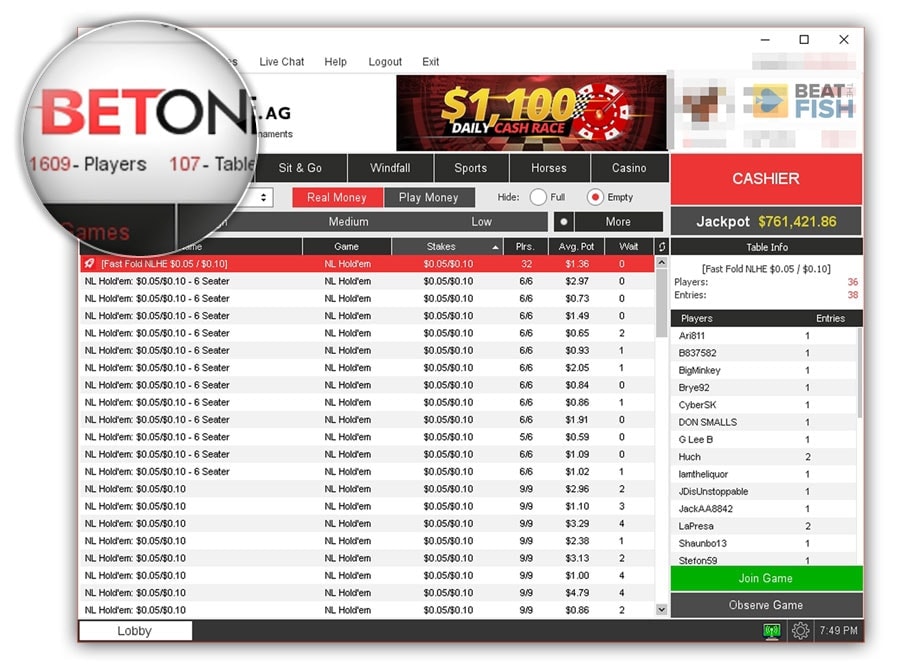
Player traffic is an essential consideration of any poker site. I dig into not only raw player numbers, but how filled the poker tables and tournaments actually are.
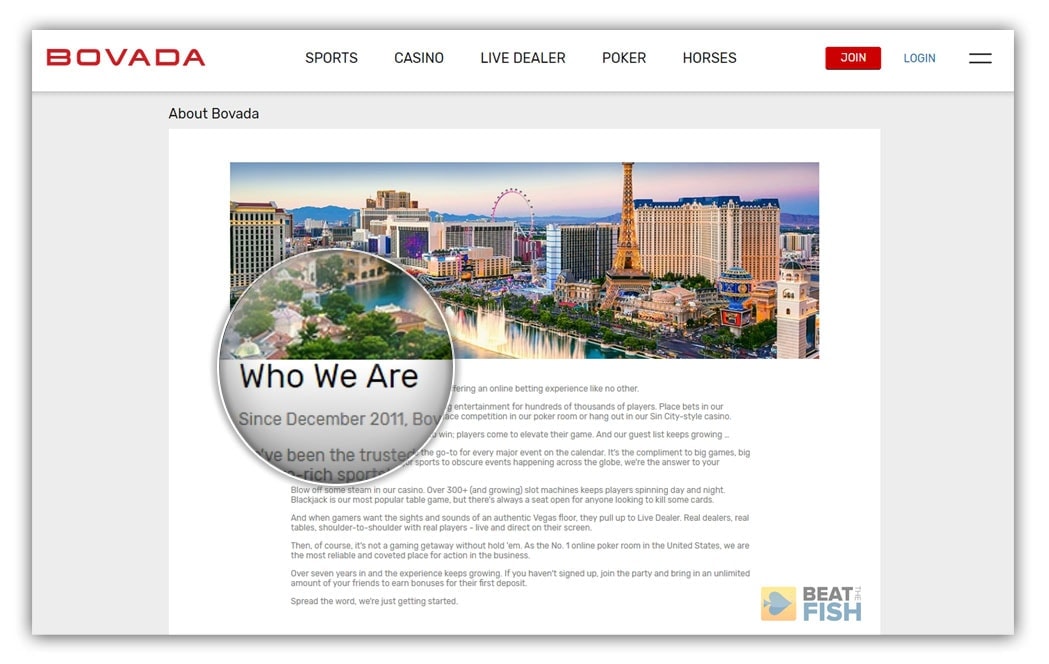
I always review a site's official license. I'm a big fan of Bovada Poker, but they're quietly operating for real money poker play without a license if you do a little digging.
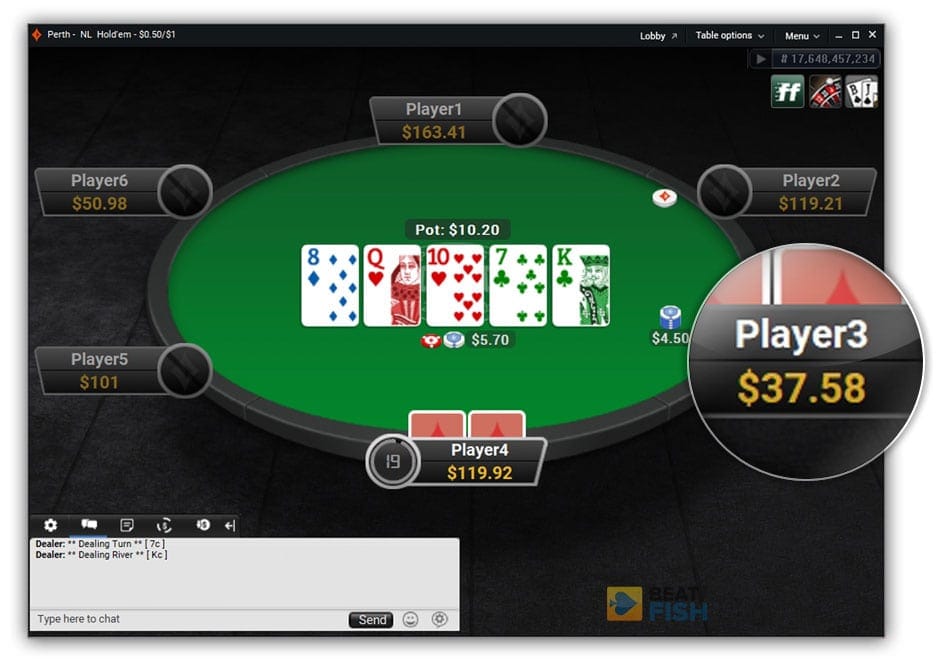
I think it's important for real money players to know if an online poker site has anonymous play or allows Heads-Up Display software.
I loathe when sites only give an email address for player support. I always review for alternative support methods.
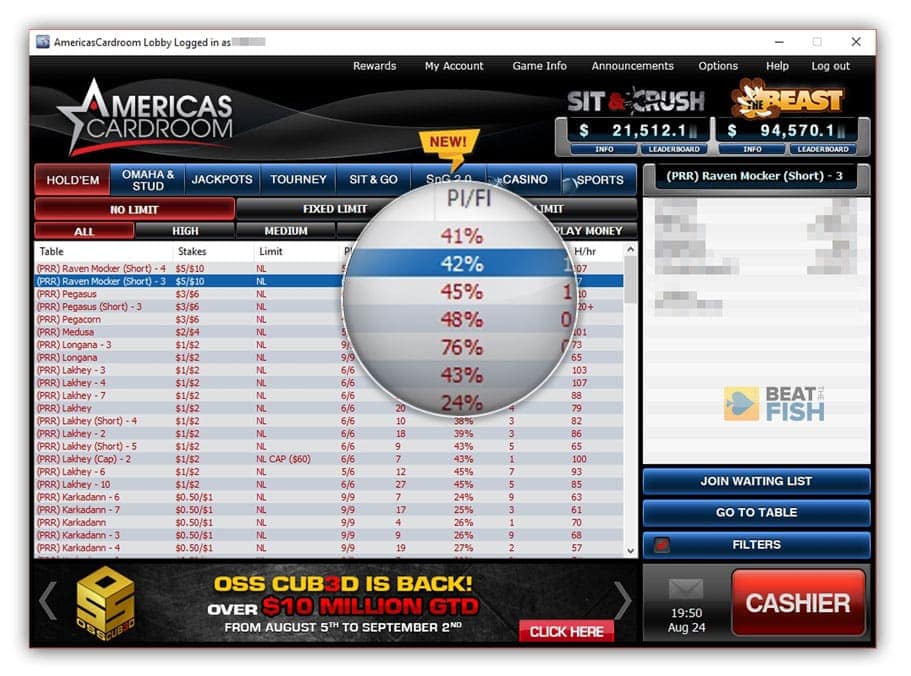
Although I always check a poker site's real money player metrics for trends, many sites no longer provide player stats in the lobby. I always play at the tables and report my findings for player quality.
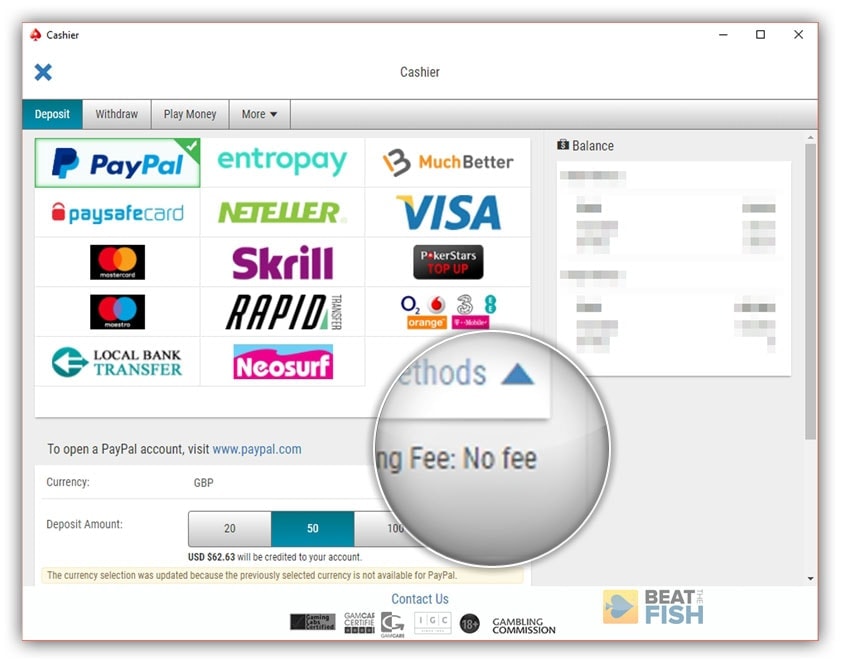
It's easy for sites to boast about quick payouts, but I dig into any predatory real money fees or delays that affect those poker payouts.
The Ugliness of Most Poker Reviews
Most reviews of online poker sites out there online these days aren’t worth their weight in 7-2 offsuits.
They're written by teams of content writers that often don’t use the English language well but are well-versed in hyperbole and exclamation points.
The most egregious offense is that what should take up the bulk of a poker review is usually missing. You know, just genuine information that could only be experienced through actual play for real money at the site.
They all follow just about the same recipe when reviewing a poker site.
Biased Online Poker Review Tartar
A common dish served at other popular online poker portals. Blend all ingredients until smooth using food processor. Serve ice-cold with a garnish of sleek infographics. Present to unwitting online poker-playing guests.
- 1 cup PR highlights from the online poker sites themselves
- 2 cups generic background information
- 2 tablespoons of an exclusive poker bonus (Note: if unavailable, freerolls may be used as a substitute)
- Hyperbole, sprinkled generously throughout to maintain unbridled positivity
- Optional: reported experiences from actual real money gameplay
How I Look at Real Money Poker
I'm confident I can do better by you because I still personally play for real money everywhere you'll read about.
I'm skeptical. Online poker sites have to earn my trust before I recommend them to you.
I think that online poker players want unbiased, balanced, objective, and complete reviews just like any consumer buying a new car or TV would.
The most important quality in my poker site reviews is that they aren’t influenced by money and make them as honest and complete as possible.
The amount of misinformation and outright lies published online about poker sites, especially those still open to USA players, is staggering.
My Way to Judge the Best
I’ve always striven to succeed in a different way than others, whether at an online poker table or in business.
I would rather have players trust me and return for poker advice in the future than trick them into going with the site who pays me the most.
I’m an online poker player first and foremost so I evaluate poker rooms just like a normal player would: by playing real hands.
Real players risking real money don’t just look at marketing statistics, bonus numbers, or some time-limited promotion.
Real players dig deeper than a poker site's flashy design and actually experience the games.
Real players actually see how well the deposit, withdrawal, and support systems work.
For prospective online poker players looking to make an informed decision, I feel like the following questions need to be answered in a site review, at minimum.
What I always answer
- How stable is the poker site's long-term outlook?
- How easy is the deposit process (especially for US players)?
- What is the current and historical delay time for player payouts?
- How soft are the real money cash games?
- Is there enough online poker player traffic?
- Is the poker tournament schedule strong?
- How easy is it to actually earn the promoted bonus money?
- How much help is the poker support team if I have a problem?
Real Poker Player Feedback I've Gotten

Love your poker site reviews...
I really love your poker site reviews. I just wanted to compliment you on your style of writing when you cover the games. It's easy to read, right to the point.
JAY ALDRIDGE

You've helped my game tremendously...
I've been playing poker for 5 years. You've helped my game tremendously. BeatTheFish has remarkably profound and didactic approach to online poker, minutely analyzing every aspect of poker strategy and mindset. Along with Upswingpoker, I tend to treat you as the most invaluable up-to-date poker source ever.
TARAS MOKHURENKO
You are spot on...
The strategies helped a lot along with the up to date "real deal" reviews on the poker sites and the news around the world. You are spot on regarding the reviews of the two main sites I play on: BetOnline & America's Cardroom.
ANDREW ZIMOLZAK
Convincingly unbiased...
Honestly I'm new to online poker (as opposed to home games). BTF has more or less given me the confidence to jump into online poker as a U.S. player. The reviews of online poker sites, in particular for U.S. players, are convincingly unbiased.
A.H.
The reviews are great...
The reviews are great. I love the site reviews, freerolls, and the Bitcoin tutorial. They are very in depth.
DAVID TRAVERSO
Resisting the Money Bias in Online Poker
I can’t count the number of times over the years that online poker affiliate programs have tried to coerce me to increase their exposure online in return for better coverage.
I’ve had the same answer for them from the beginning: I will always be in charge of reviewing the best online poker sites my own way and I will rank them the best way I see fit.
If that costs me whatever reward a poker site is holding hostage, then so be it.
My Philosophy and Experience
I’ve reviewed more than 60 websites offering online poker games since 2005 and rejected more than that.
These are the poker sites I currently rate and review:
- Bovada
- Ignition
- BetOnline
- America's Cardroom
- Sportsbetting
- Black Chip Poker
- Nitrogen Sports
- Global Poker
- 888 Poker
- partypoker
- Breakout
- Unibet
- Pokerstars
- Titan Poker
I don’t hesitate to remove any online poker website that has massive withdrawal issues, has hard evidence against it of cheating, or any other issue that makes me too uncomfortable to give my recommendation.
Combined with the closure of many of my former best-rated poker sites the current list stands at under a dozen destinations. However, I believe that these are the best in the real money poker market, each for different reasons.
I hope that you find something useful in my online poker coverage that helps you be more informed about your current online poker home or a prospective new one.
At the very least, know that my poker coverage comes from the honest experiences from a fellow poker player.

Josh is one of the world’s most respected online gambling experts. He has been featured on outlets such as CardPlayer, the World Poker Tour, Google News, and Forbes. Josh has nearly 20 years of experience reviewing poker rooms, casinos, and online sportsbooks. He launched Beat The Fish in 2005, which has been peer-certified as a trustworthy gambling portal. Josh’s proven systems and extensive knowledge of the iGaming industry have been used by thousands of online bettors to make more informed decisions.





Just now getting my feet wet with real money. Your reviews are fantastic! I wish for others that your link was at the top of a Google search. Thanks. :-)Shawn
Like your review. Bovada and Ignition limit me 4 sit and goes. unable to play both sites at the same time. Are they the same site????
Appreciate it, Jeff! Yes, both Bovada and Ignition are on the same network. That means that all cash game, Sit and Go, and multi-table tournaments are shared. You won’t be able to play at both at the same time as a security measure. They don’t want you occupying more than one seat at any given table or tournament.
I am so glad to find your site. I am fairly new at playing online and I am currently playing Poker Stars, no money, but I have gotten very frustrated by it because I can’t count how many flush hands and straight hands I have been beaten by trips. I will also get beat by an A-6 when I had an A-9 or something similar. I am glad i found this site and I hope I can play for free for a while until I feel ready to use money. Thank you for this information.
Thanks!! I don’t know much about playing poker, let alone online, but your site is chock full of information and explains a lot of the jargon (a glossary would be helpful – my $.02). Best info I’ve seen.
Thanks for sharing this…
At your recommendation, I tried BOVADA and was shocked that it charges a substantial fee for making deposits. Why should players pay that site to deposit money that will be make it money via its rake? Are all sites doing this?
Hi Brian, thanks for your comment. That’s really too bad that you’re experiencing deposit fees on Bovada, since they’re one of the better poker sites in terms of banking.
Which deposit method were you using? I only use Bitcoin anymore personally for many reasons, but one of them is you should never get any extra deposit fees, aside from the miner’s fee that’s part of any Bitcoin transaction.
If you’re using a credit card, I have seen both Ignition and Bovada have a line for adding a 4.9% fee in the cashier. However, it’s always crossed out for me. I would suggest writing to the poker site support and asking them to either waive or reimburse you for the fees. They’ll probably do it.
If you need a different poker site, one alternative is Global Poker if you’re shooting for no fees. They don’t have as many full cash tables as Bovada, but they’ll work directly with your bank account with no fees.
I hope that helps a bit. All the best to you out there!
Josh,
Your research looks great and well thought out. The big issue I have with any of the sites is getting them $. I have run into many issues where my bank wont, and my credit card won’t. If you have any information on sites that are easy to get funds to, that would really help. I have no issue writing a check if needed. I am in VA, but looks like I can get to many of the online sites legit. Any thoughts from an expert like you would really help. Thanks Bill
Hi Bill, thank you for taking the time to read and leaving a comment. I really appreciate it.
That’s certainly a good question and you aren’t alone in your difficulty in depositing. I think you’d be best served in learning about Bitcoin, which, when you get the hang of it, is the easiest way to deal with poker sites as an American player these days. There’s certainly a learning curve, but if you can get past it, you’ll unlock quick, free, and regular deposit and withdrawals from almost every legitimate offshore poker site. I did write a huge guide here on using Bitcoin if you need help.
If you don’t want to deal with learning something new in Bitcoin (and I wouldn’t blame you), then I think your easiest bet is just to go for Global Poker because they accept both credit cards and bank accounts without the issues you’re probably running into elsewhere. They’re technically a social sweepstakes site, so your bank and credit card should let purchases go through to them. They also redeem your winnings right back to your bank account.
I hope that helps a bit!
what are HUDs and bots? New to on-line poker started reading your reviews. Very interesting and informative.
Hi Louis, thanks for the comment and for taking the time to read the reviews.
In online poker language, a HUD (heads-up display) is a piece of third-party software that tracks gameplay in the online poker site’s software. Unfortunately, many of them also collect data on opponents and then display it in real-time while the HUD user is playing against them.
In my opinion, HUDs give online poker players an uneven advantage, which is why many poker sites have taken steps to block their usage. I almost always go into detail on how each poker site handles HUDs in my reviews. I also made a page here on poker sites that prevent HUDs the best.
As for bots, they’re essentially computers automatically playing poker at online poker sites, rather than real players. They’re run by cheaters and are against the rules of every poker site. It’s up to the poker operators to put measures in place to stop bots
Just wanted to let you know, I appreciate what you do for us common poker players.
Knowing which sites to load up at and which ones are decent make me feel better.
adding which ones allow HUDS and which ones does not, would be even better. I prefer those with no HUDS.
Also which ones take a stand on battling collusions and cheating with BOTS.
Nonetheless, no one has done your reviews as good as this and with honesty, so you are AWESOME!
Thank You!
Thanks for the comment and the kind words, Lloyd. I really appreciate.
As for a poker site’s stance on HUDs and bots, I totally agree that it’s essential information. I almost always mention those factors somewhere in each review, but they can get buried.
I’ll try to make them more clear since, like you, I strongly prefer poker sites that ban or limit HUDs.
These might be the most detailed reviews out there. A lot of effort clearly went into making these, really appreciate it!
Thanks, Davis. I’ve always put more effort into these reviews than anything else on the site. They’re long, but I would rather over-prepare potential players than leave them with unanswered questions.
You simply aren’t going to get the same truthful information from the PR-inspired official websites of the poker rooms themselves that you get from actually playing there.
There’s so much to be told at any given poker site and, sadly, most other reviews out there in the wild rarely come from actual players.